
Mobile app
Event mobile app: tickets, programme and announcements in every pocket
No need to build your own app. Your attendees download the Wibilet app from the App Store or Google Play and find everything about your event there.
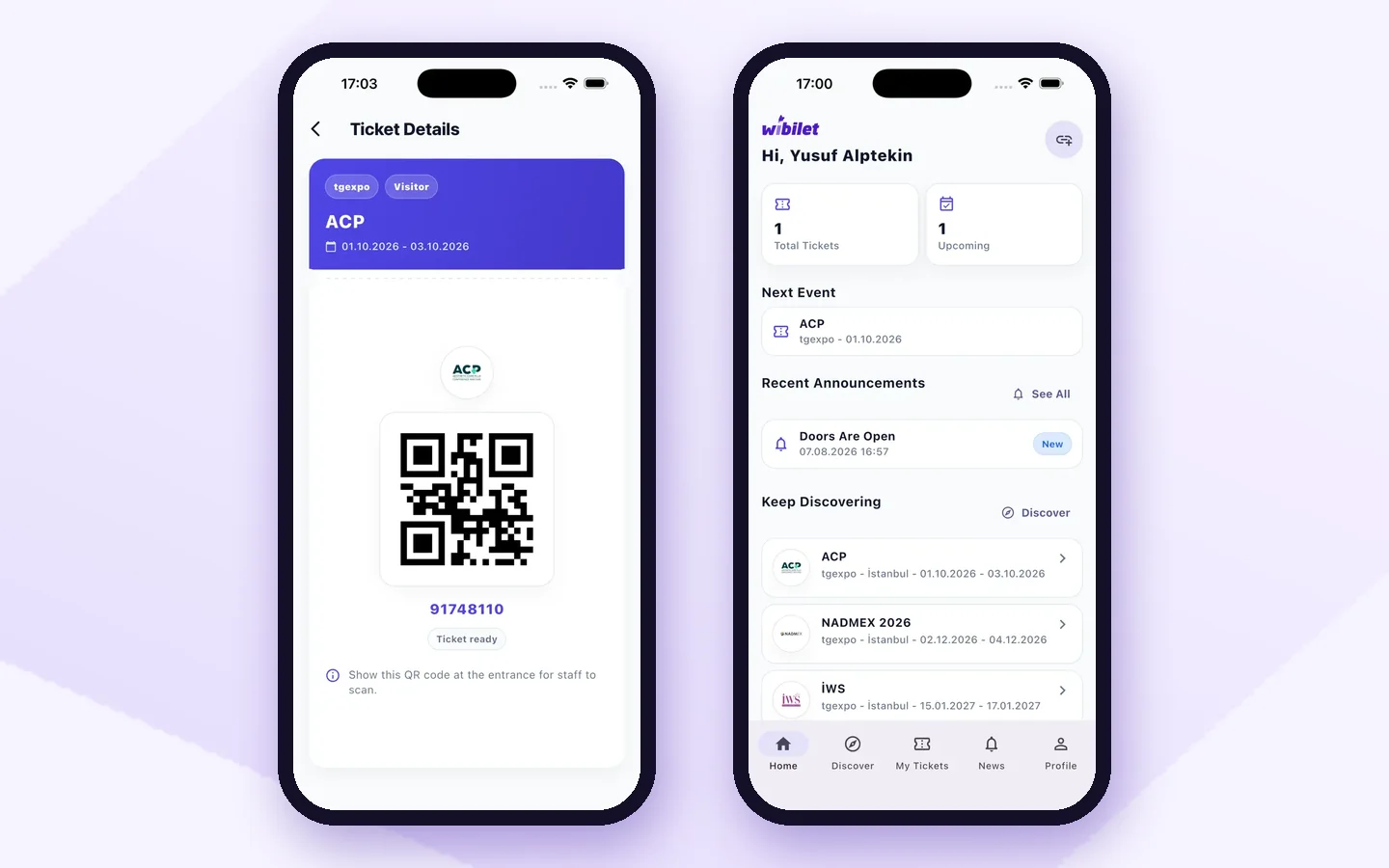
Wibilet event mobile app lets attendees carry their ticket, the event programme and announcements on their phone, and lets staff scan QR codes at the door with the same app.
Sound familiar?
What changes with Event mobile app?
Tickets get lost in email and searched for at the door
The ticket is in the app, QR in one tap
Programme changes never make it into the printed brochure
Programme and announcements on the phone instantly
Building a separate app for an event is expensive
A ready-made app, your event live the same day
How it works
How does Event mobile app work?
-
1
The ticket is on the phone
Attendees sign in with the email they registered with; their QR ticket is ready in the app.
-
2
Programme and announcements
The session programme, halls and last-minute announcements appear in the app.

-
3
Staff scan with the same app
Gate and hall staff scan QR codes from the app’s staff screen; entries and exits are recorded.
app.wibilet.com
-
4
Still useful after the event
The attendance certificate and upcoming events stay in the attendee’s profile.

Who uses it?
- Congress and conference attendees
- Trade show visitors and exhibitors
- Training and workshop participants
What is the difference?
Running an event with spreadsheets, forms and email vs. Wibilet
Most events still run on a registration form, a spreadsheet and an email thread. Here is how the same work runs on Wibilet:
Registration and attendee list
Form answers are copied into a separate sheet and cleaned by hand
In the panel the moment people register; your existing list uploads in one go
Invitations and tickets
Emails one by one, no idea who received them
A personal QR ticket goes out by email on registration, and by WhatsApp if you want
Check-in at the door
Staff search a printed list, queues build up
The QR is scanned in a second; check-in keeps working even if the internet drops
Who actually came
Lists are compared after the event
Who entered, when and which hall: live in the panel
Attendance certificates
Prepared one by one from a spreadsheet, sent even to no-shows
Only for checked-in attendees, automatically, with the name they typed themselves
Post-event report
Days of compiling
Ready the moment the event ends
FAQ
Frequently asked questions
Do we need to build a separate app for our event?
No. Your attendees download the Wibilet app; your event’s ticket, programme and announcements appear there.
Which phones does the app run on?
It runs on iPhone (App Store) and Android (Google Play).
Is there a separate app for staff?
No. QR codes are scanned from the staff screen of the same app; entries, exits and session attendance are recorded.
Open your panel yourself today.
Pick your event type and your panel comes ready. 7 days free; our team helps with the setup.