
Trade show · Congress · Event management software
Trade show and event management, from registration to the turnstile.
Open registration, sell tickets, welcome attendees with a QR code at the door and see who met whom on the floor. Wibilet brings before, during and after your event into one dashboard.
No credit card required · Our team helps you set up.












Why Wibilet
Events aren’t lost in queues — they’re lost in disconnected systems.
Registration in one tool, tickets in another, an Excel list at the door, reports weeks after the event. Wibilet brings these pieces together on a single data set.
Platform
Six modules, one data set, one dashboard.
Switch on the modules you need and keep the rest off. They all work on the same attendee record.
Registration & Ticketing
Drag-and-drop form builder, ticket types and quotas, online payment, waitlist and approval flow.
- Registration form builder
- Ticket types and quotas
- Online payment via virtual POS
- QR e-ticket

Check-in & On-site
Online and offline QR check-in with the mobile app, turnstile integration, access rules and instant badge printing.
- Mobile check-in app
- Offline check-in
- Turnstile integration
- PDF badge designer

Trade Show & Exhibitors
Exhibitor applications, exhibitor portal, floor plan, service orders and a hosted buyer programme.
- Exhibitor applications
- Exhibitor portal
- Interactive floor plan

B2B & Networking
B2B meeting scheduling that matches buyers and sellers, a product catalogue and lead capture at the booth.
- B2B meeting scheduling
- Product groups and catalogue
- Lead capture at the booth

Congress & Training
Session programme, halls and speakers, paper submission and peer review, workshops and certificates.
- Session programme
- Paper submission
- Peer review
- Automatic attendance certificate

Communication & Analytics
Reach attendees by email, SMS and WhatsApp, run surveys and turn event data into decisions with reports.
- Bulk email
- WhatsApp notifications
- Live reports and export

How it works
Launch your event in four steps.
-
01
Set up
Create the event, ticket types and registration form in the dashboard.
-
02
Publish
Share the registration page; confirmation emails and QR tickets go out automatically.
-
03
Welcome
Attendees get in within seconds via the mobile app or turnstiles.
-
04
Measure
Track entries, sessions and meetings live, and download the report.
On site
Not a queue at the door — a flow.
The Wibilet staff app keeps working when the internet drops and syncs when it’s back. With turnstile integration the gate opens the moment a ticket is scanned, and invalid tickets can’t get in.
- Offline check-in that works without internet
- Turnstile and access control integration
- Hall- and area-based access rules
- Instant badge printing at entry
Mobile app
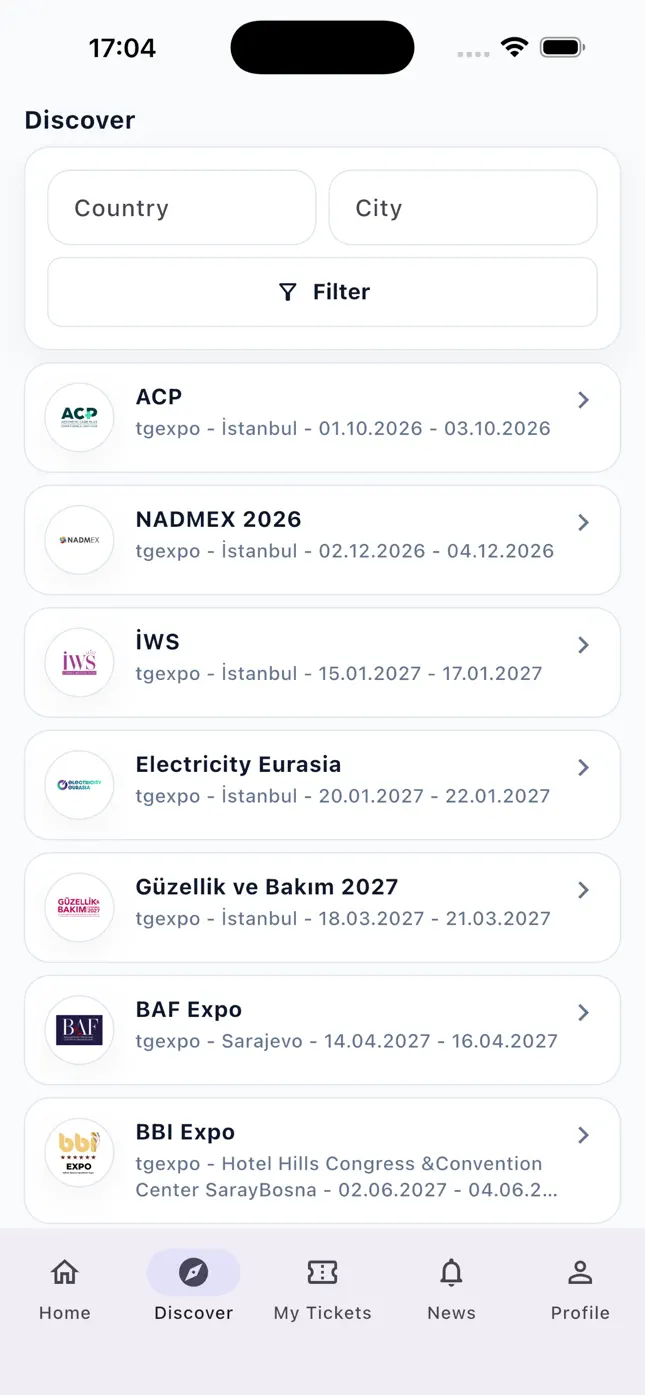
Ticket in the pocket, entry in seconds.
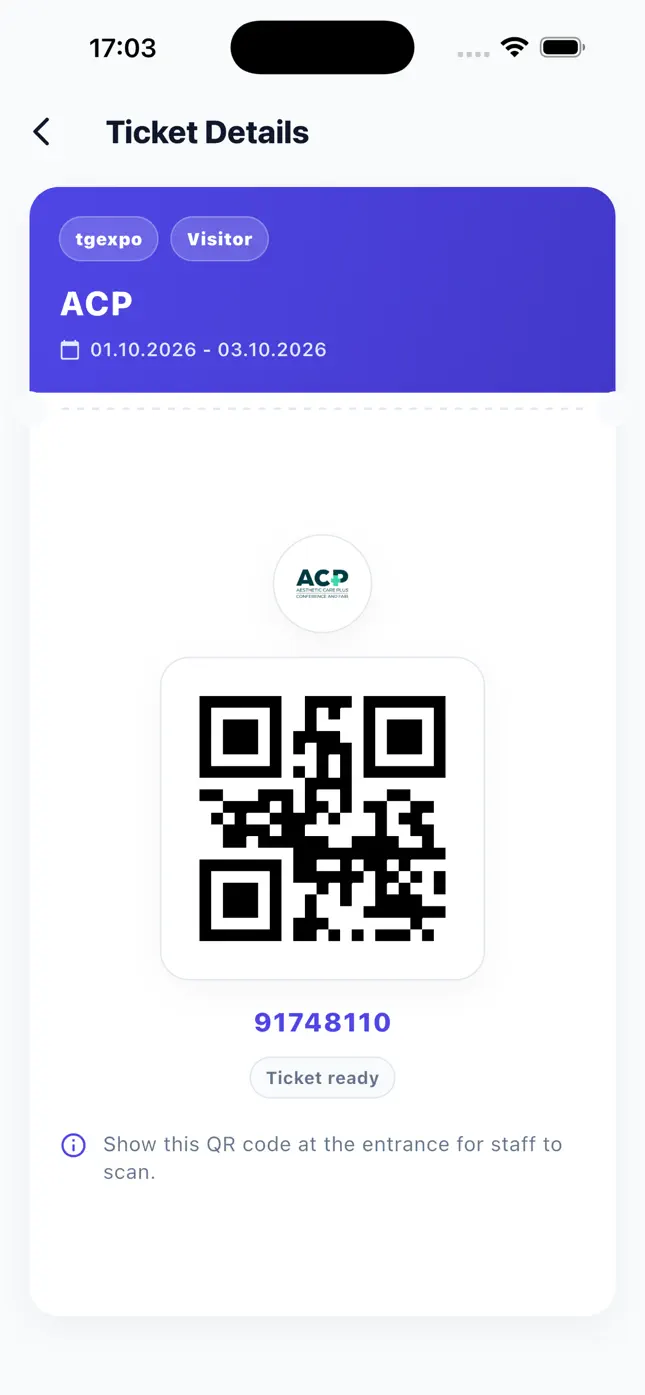
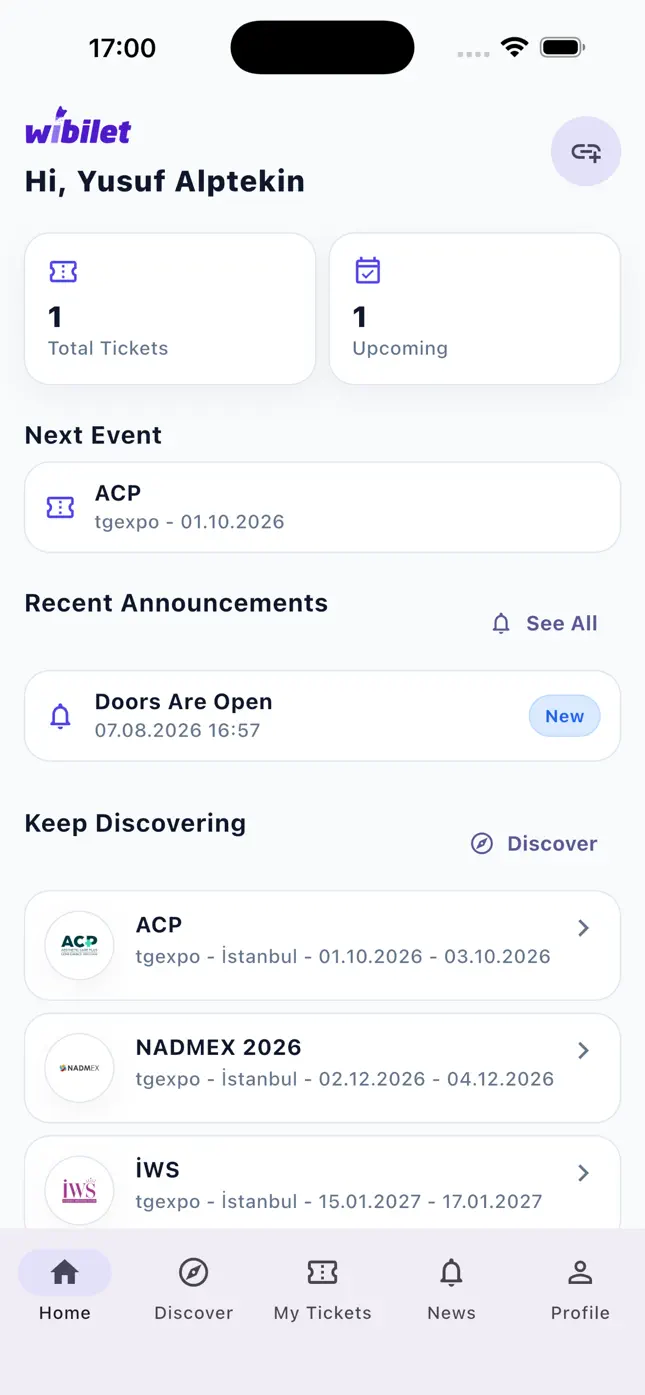
Attendees keep their tickets in the Wibilet app and show the QR code at the door. Staff scan tickets with the same app — even without internet.
For attendees
- All tickets in one list
- Fast entry with QR at the door
- Discover upcoming events
For staff
- QR check-in with the camera
- Offline mode that works without internet
- Live entry counts


Solutions
Ready-made setups for your event type.
Every event type has different needs. Wibilet combines the right modules for your scenario.
Trade show organizers
Visitor pre-registration, exhibitor management, B2B meetings and turnstile entry.
Exhibition and congress centers
Shared turnstile and access infrastructure for every event at your venue, as a ready-made service for organizers.
Congresses and scientific meetings
Registration and payment, session programme, papers and peer review, hall-based entry tracking.
Training and workshops
Sessions with quotas, waitlists, online attendance and automatic attendance certificates.
Corporate events
Guest lists, approved registration, personalized badges and fast welcome.
22 ms
Average QR check-in response at the gate
100%
Uptime on event days
4
Languages: Turkish, English, Russian, Uzbek
Trust
Your data is safe, your system stays up.
Data protection
Privacy notices and explicit consent on registration forms; personal data only with authorized staff.
Redundant infrastructure
Multiple servers behind a load balancer, with regular automatic backups.
Multilingual
Registration pages, emails and tickets in the attendee’s own language.
On-site support
For large events, our team is on site for setup and on event day.
What is the difference?
Running an event with spreadsheets, forms and email vs. Wibilet
Most events still run on a registration form, a spreadsheet and an email thread. Here is how the same work runs on Wibilet:
Registration and attendee list
Form answers are copied into a separate sheet and cleaned by hand
In the panel the moment people register; your existing list uploads in one go
Invitations and tickets
Emails one by one, no idea who received them
A personal QR ticket goes out by email on registration, and by WhatsApp if you want
Check-in at the door
Staff search a printed list, queues build up
The QR is scanned in a second; check-in keeps working even if the internet drops
Who actually came
Lists are compared after the event
Who entered, when and which hall: live in the panel
Attendance certificates
Prepared one by one from a spreadsheet, sent even to no-shows
Only for checked-in attendees, automatically, with the name they typed themselves
Post-event report
Days of compiling
Ready the moment the event ends
FAQ
Questions you may have.
Which event types is Wibilet suited for?
It’s used for trade shows, congresses, scientific meetings, training and workshops, and corporate events. Modules can be switched on or off depending on the event type.
Does check-in stop if the internet goes down?
No. The mobile staff app keeps scanning in offline mode and syncs entries with the server once the connection is back.
Does it work with our existing turnstile system?
Wibilet integrates with turnstile and access control systems. Tickets are validated when scanned and the gate opens automatically. Let’s review your hardware together in a demo call.
Can we take online payments from attendees?
Yes. With the virtual POS integration, ticket and participation fees are collected during registration and the ticket is sent automatically once payment is approved.
Which languages are registration pages available in?
Registration pages, confirmation emails and tickets can be published in multiple languages; attendees choose their own.
Plan your next event with Wibilet.
In a 30-minute call we’ll show you the system live, built around your own event scenario.